FBR Digital Invoice Software for Tier-1 Retailers in Pakistan
Every sale goes to FBR the moment you bill it. PaakiShop stores the FBR fiscal invoice number and prints the invoice in the standard SRO 1006(I)/2021 format — with the FBR PoS logo, a scannable QR code and the Tax Asaan verification line.
ہر بل ایف بی آر کو بھیجیں — فِسکل نمبر، QR کوڈ اور ایف بی آر لوگو کے ساتھ
The FBR PoS invoicing logo printed on every invoice, as SRO 1006 requires.
What is an FBR digital invoice?
FBR wants sale invoices reported when the sale happens, not at month end. Under the fiscalization scheme, Tier-1 retailers must integrate their POS with the FBR system and submit each sale invoice in real time. FBR signs and saves the invoice and gives back a unique fiscal invoice number.
That number goes on the customer's receipt, together with the FBR PoS logo and a QR code. The buyer can then check the invoice through the FBR Tax Asaan mobile app or by SMS to 9966. An invoice that cannot be verified is a problem for you, not for the customer.
PaakiShop does the reporting inside the normal billing screen, so the cashier does not learn a second system.
Real-time reporting
Each sale is sent to FBR at billing time.
Fiscal invoice number
Unique number from FBR, saved with the invoice.
QR on the receipt
Scannable QR made from the fiscal number.
Buyer verification
Tax Asaan app or SMS 9966.
From the counter to FBR and back in seconds
Register & configure
You get your PoS ID from FBR. We help you enter it in PaakiShop, install FBR's small local service on the counter PC and run the first test on the FBR sandbox.
Bill as usual
Sell from POS or the invoice screen as always. One button sends the saved invoice to FBR. If FBR cannot be reached the sale is never blocked — it is marked pending and can be resent.
Print & track
The receipt prints with the FBR number, QR and logo. A register lists fiscalised, pending and failed invoices, filterable by date and exportable to CSV.
This is the FBR invoice PaakiShop prints
The layout follows the standardized invoice format FBR notified in SRO 1006(I)/2021. Every field FBR asks for is on the receipt. The business, numbers and QR below are sample data.
| # | Description | Price | GST% | Qty | GST | Total |
|---|---|---|---|---|---|---|
| 1 | Basmati Rice 5kg | 1,850.00 | 18% | 1 | 333.00 | 2,183.00 |
| 2 | Cooking Oil 5L | 2,400.00 | 18% | 2 | 864.00 | 5,664.00 |
| 3 | Detergent 1kg | 640.00 | 18% | 3 | 345.60 | 2,265.60 |
What each block means (SRO 1006(I)/2021)
- ABusiness information
Business or brand name, complete address, STRN and NTN, the tax office the business is registered with, and the unique PoS registration number. - BInvoice details
Unique sequential invoice number, date and time, mode of payment (cash, card, cheque, voucher) and, for B2B, the buyer's name. - CTransaction details
Item-wise description, price excluding tax, tax rate (0% for exempt items), quantity and tax amount; then total sale value, tax charged, discount, the Re.1 PoS service fee, payable and received amounts. - DFBR details
The FBR fiscal invoice number (format XXXXXX-DDMMYYHHMMSS-0001), the FBR PoS invoicing logo, a verifiable QR code and the Tax Asaan / SMS 9966 statement.
Source: Sales Tax notification SRO 1006(I)/2021, Federal Board of Revenue. The invoice above is a sample built with made-up data; the QR code on it is not an FBR code. The FBR name and logo belong to the Government of Pakistan; they are shown here only to describe the invoice format.
FBR-ready billing without a second system
One-tap FBR submit
Send the saved invoice to FBR from the invoice page. An invoice already sent is never sent twice.
SRO 1006 receipt
Every mandatory field printed in FBR's standard layout, on thermal or A4.
Sale never blocked
If FBR or the local service is unreachable the invoice is still saved and accounted; you resend later.
FBR register
See fiscalised, pending and failed invoices by date, with total sales tax and Re.1 fees, and export to CSV.
Sandbox mode
Test with FBR's sandbox first. Test invoices carry a TEST badge so they are never mistaken for live ones.
Exact tax maths
Item lines add up to the invoice totals to the paisa; tax rate and PCT code come from your own product settings.
Works for staff
Cashiers see one button and a clear message. Owners see the numbers.
Runs in the browser
Nothing to buy or host: log in on the counter PC and bill. FBR's small local service is the only install.
Manual reporting vs PaakiShop
| Handwritten / separate tools | PaakiShop | |
|---|---|---|
| Invoice to FBR | Re-typed or skipped | Sent from the same invoice |
| Fiscal number on receipt | Missing | Printed with QR and logo |
| SRO 1006 fields | Easy to forget one | All on the template |
| Failed submissions | Nobody knows | Listed with the reason |
| Stock, ledger and tax books | Separate | Same system as billing |
Retailers who must report sales to FBR
Not sure your business is Tier-1? Ask your tax consultant or FBR, then message us. Also see our POS software, inventory and accounting pages.
FBR digital invoice — FAQ
What is an FBR digital invoice?
It is a sale invoice that your POS sends to the Federal Board of Revenue at the time of sale. FBR returns a unique fiscal invoice number, and your printed invoice carries that number, the FBR PoS logo and a QR code so any buyer can verify it.
Who has to integrate their POS with FBR?
FBR requires Tier-1 retailers to integrate their point-of-sale system with the FBR system and submit sale invoices in real time. Check with your tax consultant or FBR whether your business falls in Tier-1.
What must an FBR invoice show?
Under SRO 1006(I)/2021: business name, address, STRN and NTN, tax office, PoS registration number, unique invoice number, date and time, payment mode, item-wise price and tax rate, quantity and tax, totals, discount, the Re.1 PoS service fee, payable and received amounts, the FBR fiscal invoice number, the FBR PoS logo, a verifiable QR code and the Tax Asaan / SMS 9966 verification statement.
What is the Re.1 PoS service fee?
SRO 1006(I)/2021 lists a PoS service fee of Re.1 per invoice as a required line on the FBR invoice. PaakiShop prints it on every FBR invoice.
How can a customer verify an FBR invoice?
The invoice carries a statement inviting the buyer to verify it through the FBR Tax Asaan mobile app or by SMS to 9966. The QR code on the invoice is generated from the FBR fiscal invoice number.
Is PaakiShop approved by FBR?
PaakiShop integrates with FBR's fiscalization service and has been tested against the FBR sandbox. Registering your business and getting your PoS ID is done by you with FBR; we help you configure it and test before you go live.
What happens if the internet or the FBR service is down?
The sale is never blocked. The invoice is saved and accounted normally, it is marked as not yet fiscalised with the reason, and you can send it to FBR again when the connection is back.
Can I test before going live?
Yes. FBR provides a sandbox environment. Invoices sent there carry a test marker in PaakiShop so they are never confused with real fiscal invoices.
Make every invoice FBR-ready
Billing, stock, accounts and FBR reporting in one system — start with a free trial and test on the FBR sandbox.
No credit card required · Urdu & English · We help with setup and sandbox testing
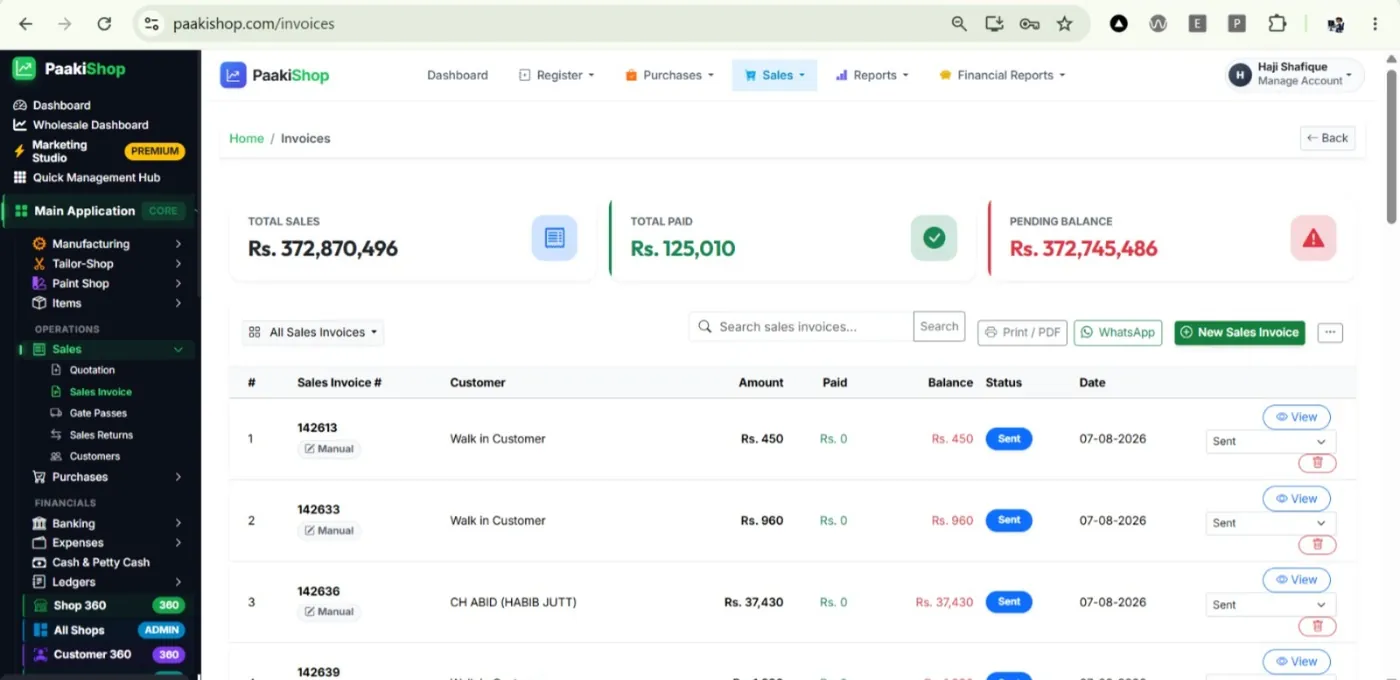
The billing screens behind it
FBR reporting works from the same invoices you already create.
Free Customization According to Your Need and Requirements
We do not charge for any customization. Whatever you want changed or added, we build it around the way you already work — and you only pay the monthly subscription. There is no customization fee, no setup fee, no per-feature price and no separate quote.
It applies to every kind of business: retail and wholesale, distribution and trading, manufacturing, and service businesses of every sort — anyone running sales, purchases, stock or accounts. Tell us your process and we shape the software to it: your invoice and receipt design, your stock and unit rules, your tax settings, your staff rights, and the exact reports you want open every morning. Need something that is not there yet? We build it, free, in English or Urdu, with local support on WhatsApp.

