Average POS Software Price in Pakistan (Cost Breakdown)
There is no single sticker price, because the pos software price in pakistan is set by the model you buy under, not by the software itself. Three models dominate the local market. A one-time licence looks cheapest on day one and is often dearest by year three. A cloud subscription looks like a permanent bill and usually isn’t. Per-terminal pricing sits between the two and charges you most precisely when the business is going well.
The table below is the shape of the market. We don’t quote other vendors’ figures — their prices move with the dollar, with hardware supply, and with whichever scheme is running that quarter — so ask every vendor for the full three-year cost in writing.
| Pricing model | What you pay up front | What you keep paying | Watch out for | Best suited to |
|---|---|---|---|---|
|
One-time licence Installed on your own PC or server |
A large one-time licence fee | Yearly support / AMC, paid upgrades | No updates without paying again; data stuck on one PC | A single counter with in-house IT and no plans to add branches |
|
Monthly cloud subscription Nothing installed, runs on any device |
Usually none | A fixed monthly or yearly fee — PaakiShop: Rs. 6,000/month or Rs. 60,000/year | Plans priced in USD, or extra charges per module or user | Most shops, marts, wholesalers and restaurants |
|
Per-terminal licensing Priced by counter or by user |
A setup fee for each counter | A fee per counter or per user, every month | The bill grows every time you add a counter or branch | Chains that can predict their terminal count accurately |
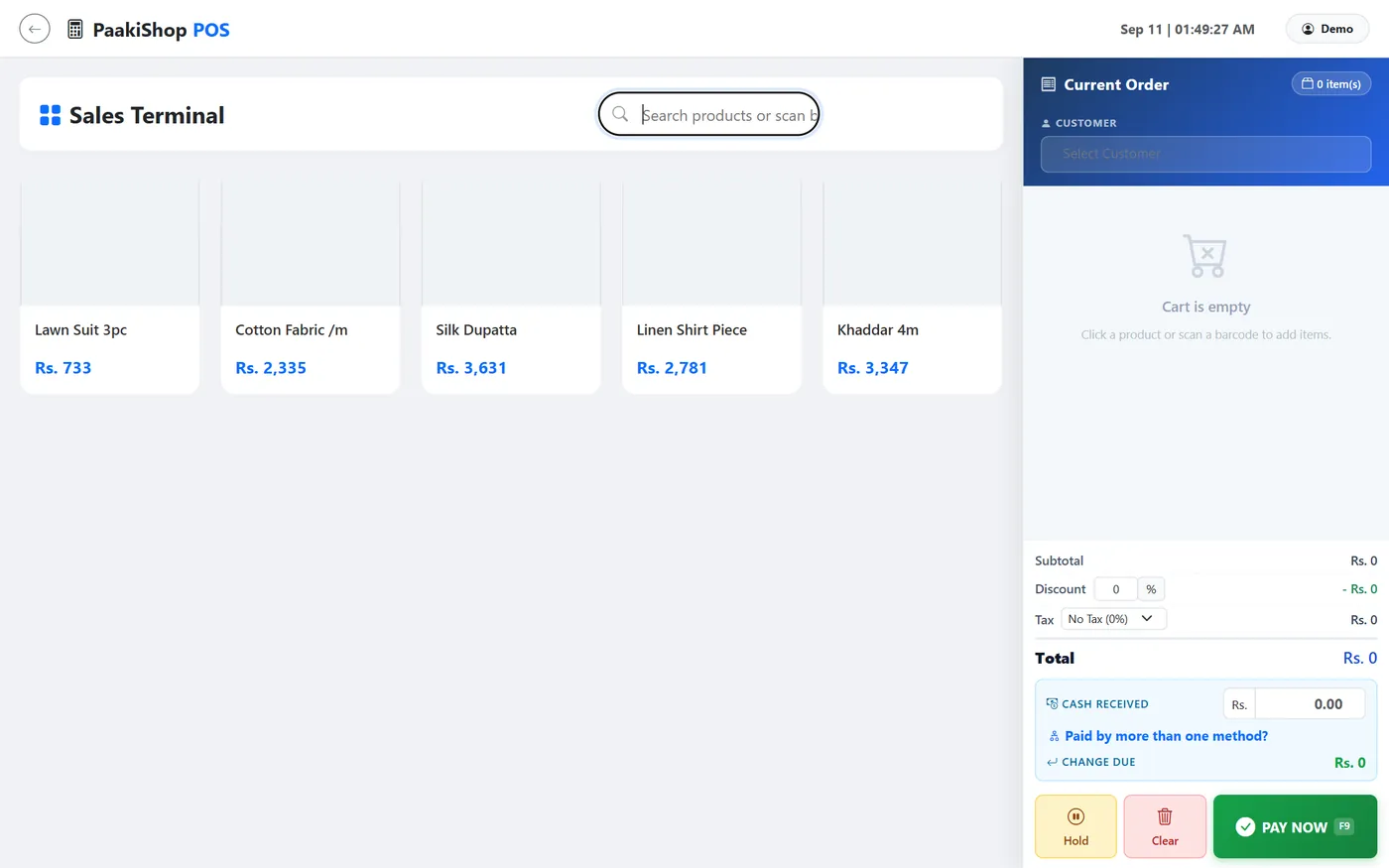
One real number, offered for reference rather than as a market average: PaakiShop is a flat Rs. 6,000 per month, dropping to Rs. 5,000 per month on a 6-month (Rs. 30,000) or 12-month (Rs. 60,000) term. One plan, no tiers, billed in rupees, with a 3-day free trial and no card required. Over three years that is at most Rs. 180,000 with every update included — check any quote you get against that.
Hardware is a separate bill
Software price and counter hardware are two different conversations, and merging them is how budgets go wrong. A scanner, a thermal printer, a cash drawer and — for marts and kiryana — a weight scale are one-time purchases you can stage over several months. Cloud software runs on a laptop, PC, tablet or Android phone, so most shops begin with a device they already own and buy hardware once the workflow has settled down.
- Barcode scanner: optional — speeds up billing for shops with many items
- Thermal receipt printer (2" or 3"): optional — you can also share invoices on WhatsApp or print on A4
- Cash drawer: optional — useful once you have a busy counter
- Weight scale (marts and kiryana): only if you sell loose items by weight
Key Factors That Affect POS System Software Costs
Two shops on the same street routinely pay very different amounts. These are the things that genuinely move the price of pos system software in pakistan — and, more usefully, the two or three where cutting spend will not come back to bite you.
1. FBR and provincial tax integration
This is the Pakistan-specific line item buyers forget. Tier-1 retailer obligations mean real-time, QR-coded digital invoicing, and the provincial authorities layer their own rules on top — PRA in Punjab, SRB in Sindh, each with its own categories and rates. Vendors handle this one of three ways: built in at no extra charge, sold as a paid add-on module, or “supported” through a manual export you will quickly grow to hate. Ask which, in writing, and ask separately whether future filing-rule changes arrive as updates or get billed as custom work.
2. Offline mode for load shedding
A POS that stops when the power or the line drops is not a POS; it is a liability with a monthly fee. Real offline mode — billing continues locally, transactions queue, everything syncs on reconnection without duplicates — is genuinely harder to build than a demo makes it look, and some vendors either price it accordingly or omit it quietly. Test it by pulling the network cable mid-sale during your trial rather than taking anyone’s word.
3. Local payment rails
JazzCash, EasyPaisa, 1Link bank transfers and cash on delivery are how money actually moves here. Check whether each is included or charged per integration, and check separately whether the payment processor takes its own cut on top of the software fee. A cheap licence bolted to an expensive rail is not a saving.
4. Depth of stock control
Plain billing is inexpensive. Real inventory is not: purchase entries, batch and expiry dates, unit conversion from carton to piece, damages, returns and multi-location transfers. A kiryana carrying 3,000 SKUs needs far more of this than a salon does, and the price follows the depth.
5. Branches, counters and users
Most vendors meter one of these three, and this is where a bill grows quietly. Before signing, ask exactly what happens on the day you open a second shop or put a third person on the till.
6. Support and training
Cheap software with no support is not cheap. Ask who answers at eight on a Saturday evening, whether they speak Urdu, whether staff training is included, and whether an on-site visit carries a per-call charge that never appeared in the original quotation.
The one question that saves the most money
“What is my total cost in year three, including tax integration, every branch I plan to open, and support?” Vendors quote month one. The gap between those two numbers is where the real decision sits.
What to Look For in the Best POS Software in Pakistan
Price alone is a poor way to choose. The best pos software in pakistan is the one built for how business is actually conducted here — load shedding, udhaar, Urdu receipts and provincial tax paperwork. Use this as your checklist when comparing any pos software in pakistan:
Genuine offline mode
Billing survives an outage and syncs afterwards on its own, with no duplicated and no lost sales.
Udhaar (credit) ledger
A digital bahi khata showing who owes what, with WhatsApp reminders that go out by themselves.
FBR and provincial invoicing
Correct tax invoices at the till for FBR and for PRA or SRB, with no second data entry.
Local payment rails
JazzCash, EasyPaisa, bank transfer and cash on delivery, both at the counter and online.
Urdu receipts and support
Receipts your customers can read, and a support team you can phone in Urdu.
Flat PKR pricing
If a tool bills in dollars, every move in the rate is a raise you never agreed to.
Data you can export
If a vendor will not hand back your sales and stock as a plain file, the monthly price is not the real cost.
Owner view on mobile
Live sales, cash position and low stock visible from anywhere, not only from the shop PC.
Then run the trial on your own data for a full week — your items, your rates, your staff on the counter during a real rush. A demo is a performance. A week of live billing is evidence.
Top Use Cases for POS Billing Software
What you should be strict about changes completely by trade. Here is how shopkeepers across Pakistan actually use pos billing software, and the single thing each sector should refuse to compromise on.
Grocery stores and kiryana shops
Speed and udhaar decide everything. You need barcode billing, weight-scale support, loose-item selling, and a credit ledger that tracks regulars without a notebook. Low-stock alerts matter more than they sound: running out of a fast-moving line costs more in one week than the software does in a year. See grocery shop POS →
Retail and clothing shops
Apparel lives or dies on variants — size, colour, design — plus season-wise reporting and an honest view of dead stock. If you also sell through Instagram or WhatsApp, insist that counter sales and online orders draw from one stock pool, so the same piece is never sold twice. See boutique POS →
Restaurants and cafes
Here the job is table and token orders, kitchen printing, split bills and delivery. Reporting should tell you which dish earns money, not merely which one sells often. See restaurant POS →
Pharmacies
Batch numbers and expiry dates are the entire game, alongside strip and box units. An expiry alert weeks ahead pays for the subscription by itself. See pharmacy POS →
Wholesalers and distributors
Wholesale needs party-wise rates, carton-to-piece conversion, order bookers in the field and supplier payments in one ledger. This is where budget pos software pakistan options usually fall over, because they were designed for a single counter and never for a supply chain. See order booker software →
Conclusion & Final Recommendations
Match the spend to the size and the direction of the business. That really is the whole answer.
- Small shop, one counter, tight budget: take a monthly cloud plan. Do not pay a large one-time licence for software tied to a machine that can die.
- Growing shop, two to five branches: move to an annual term to lock the rate, and confirm branch-wise stock and reporting are included rather than sold as an add-on.
- Wholesale or a chain: weight the decision on order bookers, party ledgers and accounting depth. A slightly higher monthly fee beats a large custom build you cannot change later.
Whichever way you go, three checks before committing: run the trial on real data for a week, pull the network cable to test offline mode properly, and get the year-three total in writing.
For reference, PaakiShop is Rs. 6,000 a month, or Rs. 5,000 a month on a 6- or 12-month term, with everything included — POS billing, stock, accounting, an online store, Android and iOS apps, and unlimited WhatsApp updates. And whatever you need beyond that — a custom invoice format, a report your accountant keeps asking for, a workflow only your business uses — we customize according to your need and requirements.